 The Long Goodbye
The couples app for long distance, on their lock screen
The Long Goodbye is a couples app for long distance that keeps your person on the screens you look at most: their clock and your handwriting on the lock screen, the days until you're together on the home screen, and a tap that says "thinking of you".
 Scan to get it on your phone. Free to start; one account on phone and web, for both of you.
How the couples app for long distance works
Presence, not another chat app. You already have somewhere to talk; this is where the other person quietly stays close.
Pair with one link
Sign in, send your person a private invite link, and you're a couple in the app. Every connection is strictly one to one.
Put them on your screens
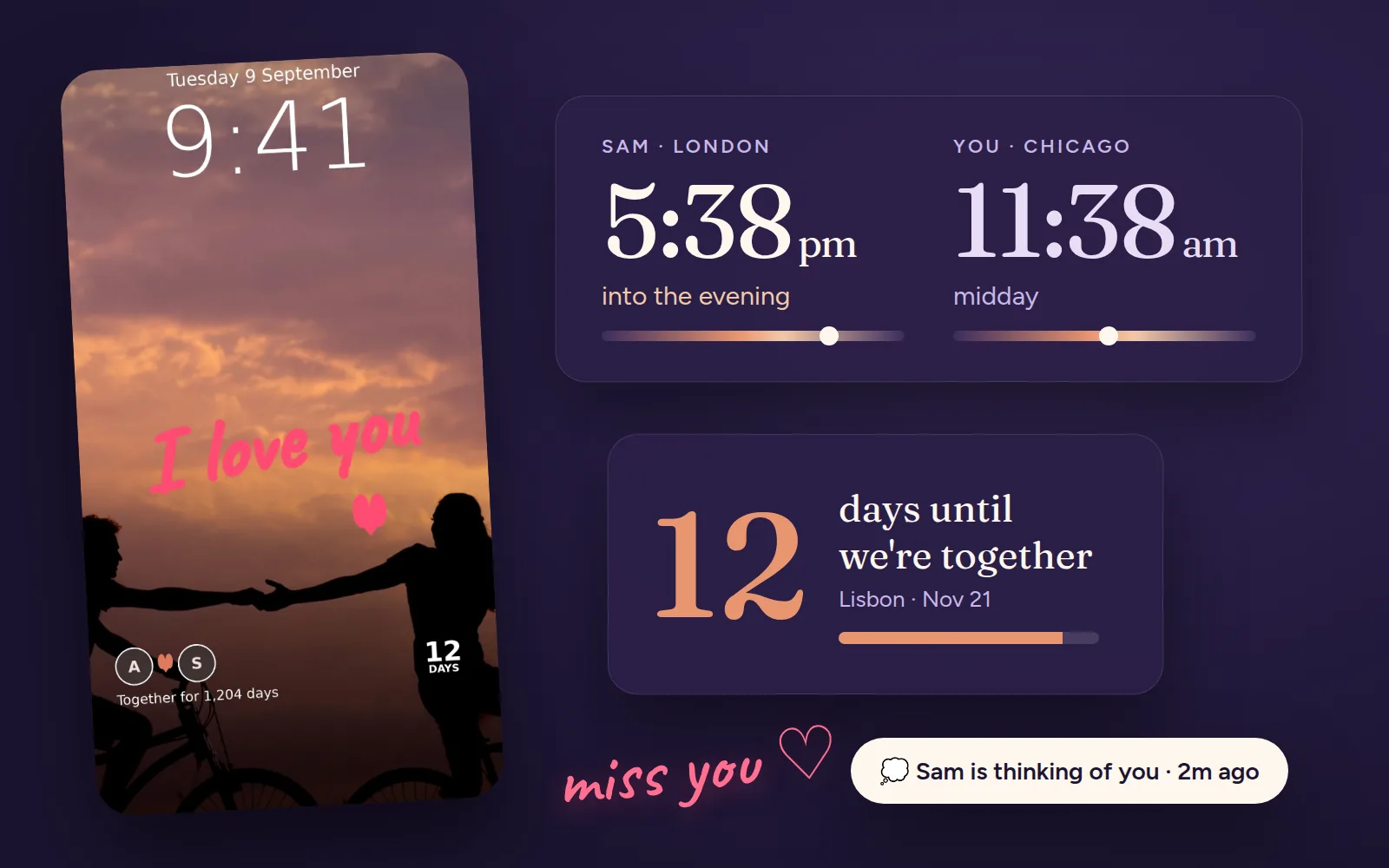
Their local time and last tap on your home-screen widget; their clock, your countdown and their drawings on your lock screen.
Count down together
Add the next visit, homecoming or visa interview. You both watch the same number get smaller, on the phone and on the web.
Everything apps for distance couples should do
A countdown app for long distance couples
Days (and hours) until you're together, with a progress bar from the day you left, milestones along the way, and a repeat for the regular weekend visit. How often should long-distance couples visit?
A long distance relationship widget
Their time with a humane label ("it's 11pm for Sam, winding down"), their last tap and the days to go, on your home screen, Android and iPhone. What is a couple widget?
A lock screen drawing app
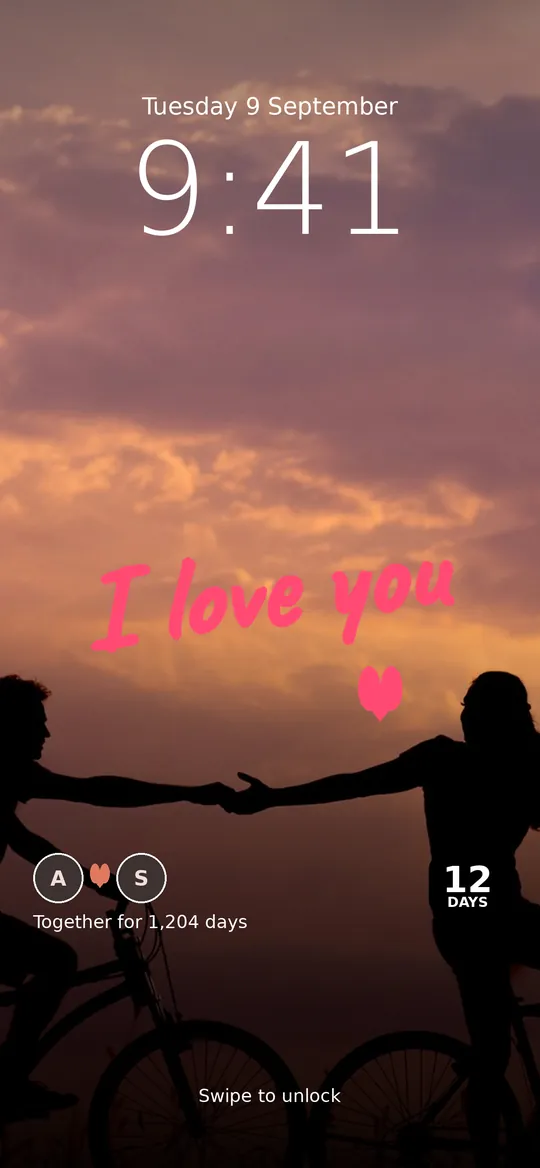
Your handwriting on the screen they see a hundred times a day, over the photo they chose. Draw it on your phone, or with a mouse on the web.
A couples widget for lock screen and home screen
Their clock keeps time on your lock screen, with "together for 1,204 days" and the countdown. Nothing to open.
A couple distance widget that measures time
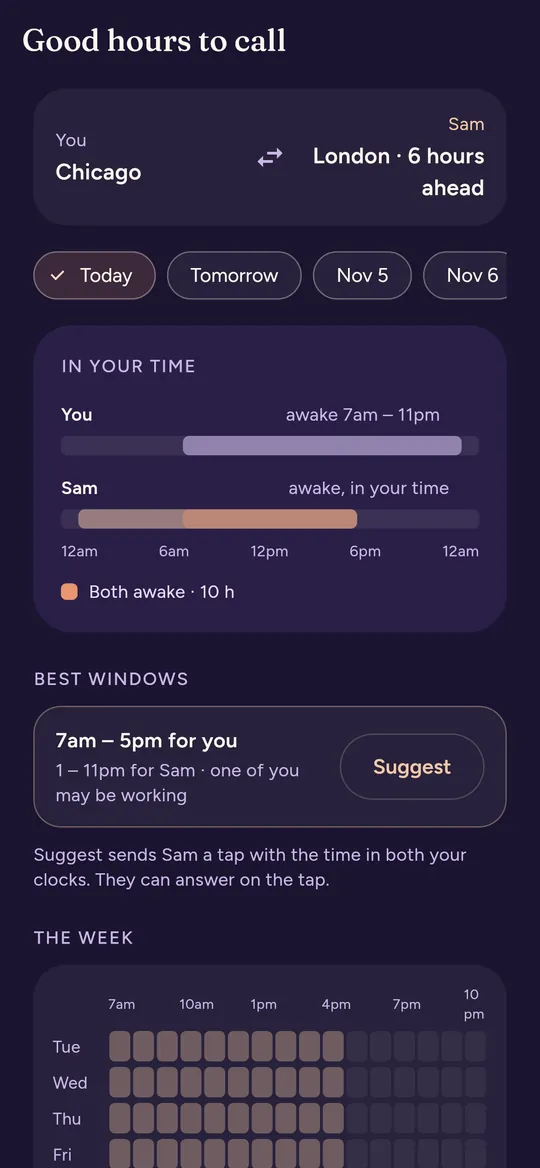
Both clocks side by side, the exact offset, "already tomorrow there", and the good hours to call in both your days. Time zones in a long-distance relationship
A deployment countdown app and a visa countdown app
Homecoming and visa-wait modes with OPSEC: no date on the widget, lock screen or anything shared. Deployment countdown · Visa wait
Their time, your countdown, your moments
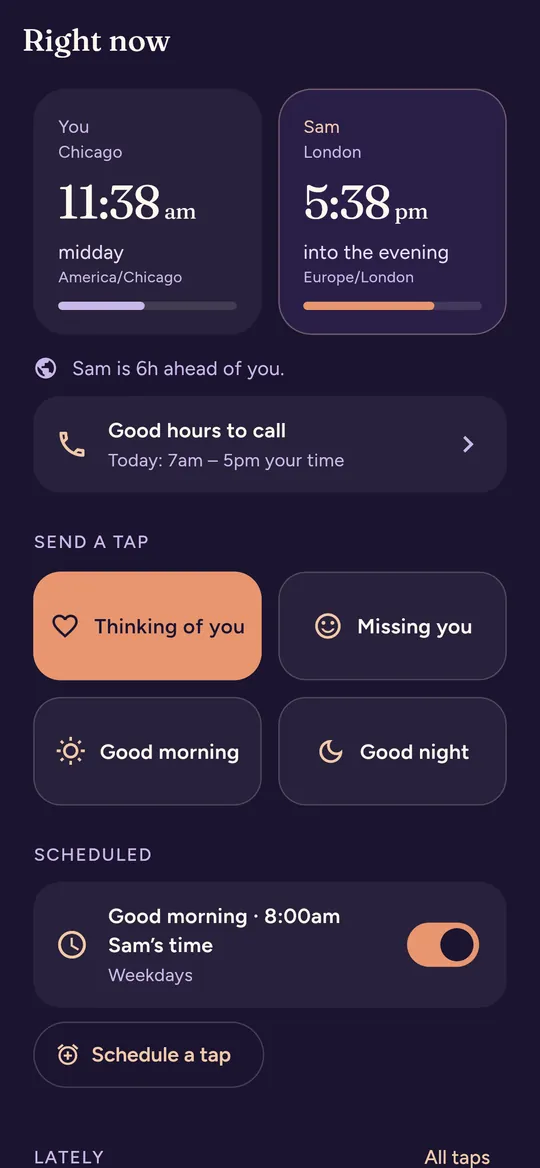
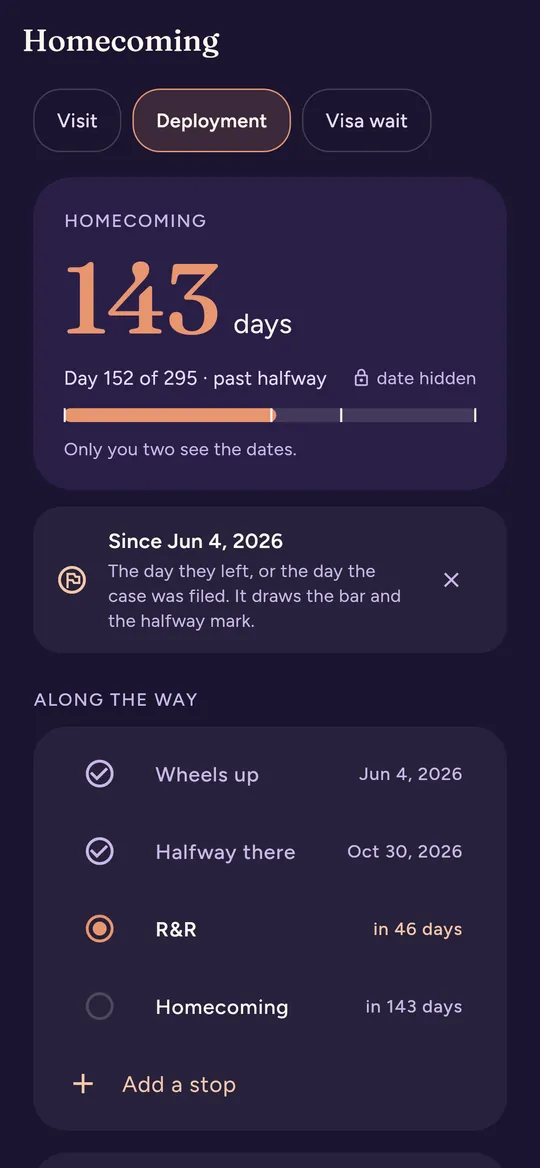
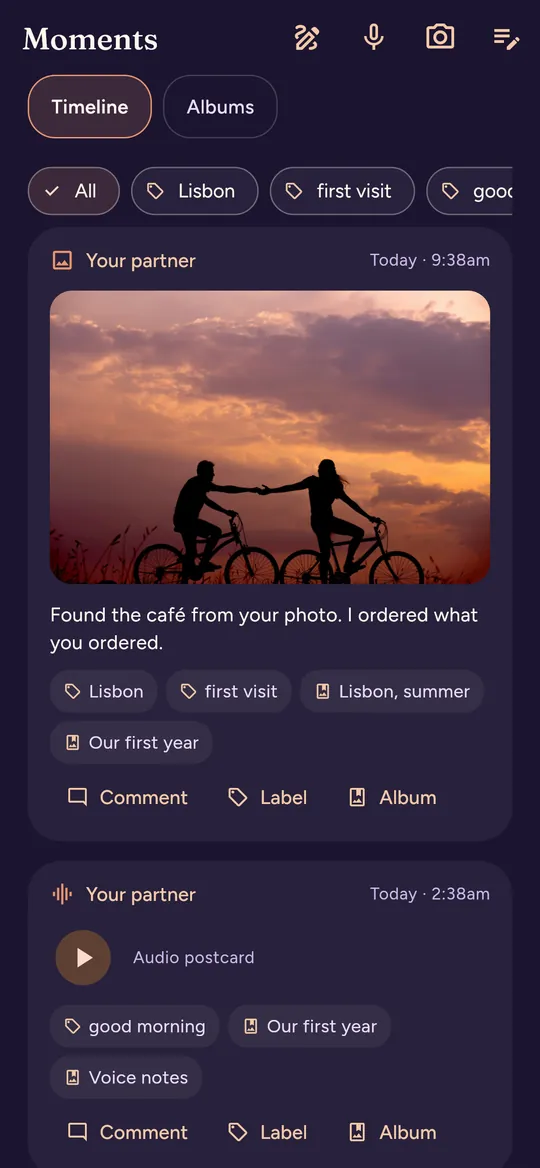
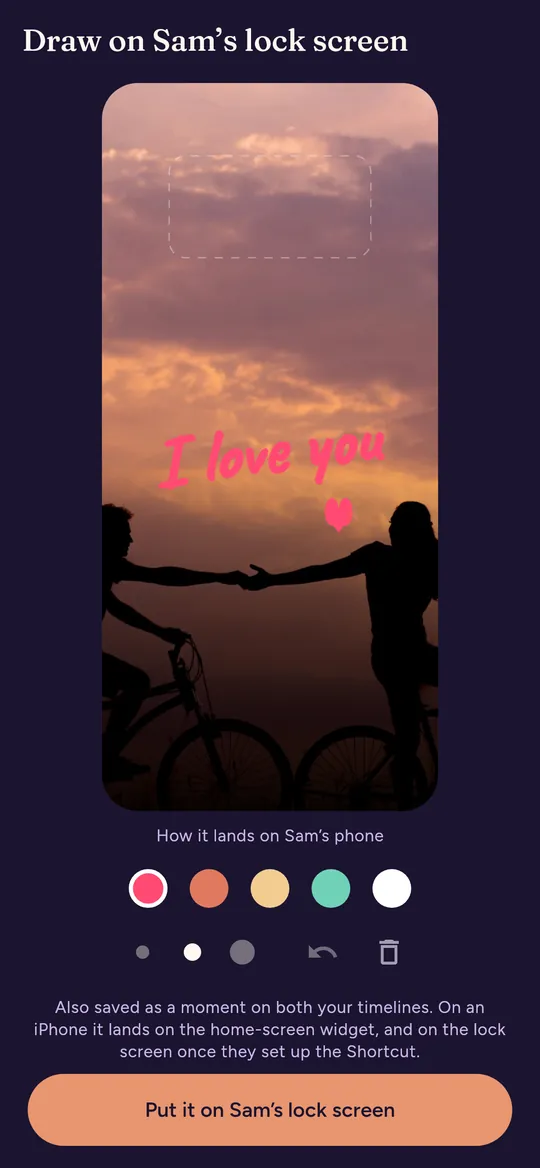
Both clocks and the countdown, big on your laptop
Open longgoodbye.adelyons.com/app at your desk and it's the same connection: both clocks side by side, the days until you're together, a tap, your moments, a canvas to draw on their lock screen, and the people you keep close. Sign in with Google, or let the app on your phone approve the browser with a short code (handy on iPhone).
What syncs
Everything lives in your account: a tap you send from the laptop lights up their widget, a photo you share lands on both timelines, and a drawing goes to their lock screen. Together+ follows the account, and covers your partner, wherever you bought it.
What stays on the phone
The widget and the lock screen themselves, notifications, recording audio postcards and scheduled taps. Audio postcards play in the browser.
Free tools for couples apart
Best time to call calculator
Any two cities: the hours you're both awake and both free, in both clocks. London to New York, Manila to Los Angeles and 200 more.
Deployment countdown
Days until homecoming, with a private mode that never shows the date.
Visa wait countdown
K-1 and spouse visa stages, counted down together.
Next to the usual ways
| The Long Goodbye | A chat app | A photo couple widget | A calendar countdown | |
|---|---|---|---|---|
| Their time, with a label | Yes, on widget, lock screen and web | No | Sometimes a clock | No |
| Shared reunion countdown | Yes, with milestones and OPSEC | No | Days together, not days until | Yours only |
| On their lock screen | Your drawings, their clock | No | Rarely | No |
| Good hours to call | Both clocks, DST-correct | No | No | No |
| Private | Strictly one to one, nothing public | Yes | Varies | Yes |
Couples app for long distance: FAQ
Is The Long Goodbye a couples app for long distance?
Yes. It is made for two people apart: school, work, a deployment or a visa wait. It keeps your person on the two screens you look at most, their lock screen and home screen, and keeps the countdown to your next visit close.
Is there a countdown app for long distance couples?
The Long Goodbye counts down to your next visit, with an optional time of day, on the app, the home-screen widget, the lock screen and the web. Both of you see the same countdown, and it can repeat.
What is a long distance relationship widget?
A home-screen widget that shows your person at a glance. Ours shows their local time with a warm label ("winding down"), their last thinking-of-you tap and the days until you are together, on Android and iPhone.
Is it a lock screen drawing app?
Yes. Draw a note with your finger (or a mouse on the web) and it lands on your partner's lock screen, over the photo they chose. On Android it sets itself; on iPhone a one-time Shortcut sets it when the drawing arrives.
Does it work as a couple distance widget?
It shows the distance that matters most when you are apart: the time difference. Their clock and yours side by side, the exact offset ("already tomorrow there") and the good hours to call.
Can we use it as a deployment countdown app or a visa countdown app?
Yes. A countdown can be a visit, a deployment homecoming or a visa wait, with a start date that draws the progress bar, milestones like R&R or an interview, and an OPSEC mode that hides the date everywhere someone else could read it.
Is it free?
Pairing, both clocks, taps, good hours to call, the widget, one countdown and 10 photos a month are free. Together+ adds drawings on their lock screen, unlimited photos, more countdowns, audio postcards and up to 10 people. One purchase covers both of you, on Google Play, the App Store or the web.
Can I use it on a computer?
Yes. Open longgoodbye.adelyons.com/app and sign in with Google, or let the app on your phone approve the browser with a short code. It is the same connection, taps, moments and countdowns, live.
Get The Long Goodbye on your phone
The widget, the lock screen, a nudge when they tap, and audio postcards. Free on Google Play and the App Store.
🎁 A free month for you and a friend
Invite a friend from the The Long Goodbye phone app and you both get 30 days of Together+, free.
- Install The Long Goodbye on your phone.
- Open Invite a friend and share your code.
- Got a code from a friend? Enter it under Have an invite code? within 14 days of installing.
Invites are redeemed in the phone app. How invites work